Use Click To Pay with your NAB Visa Card - NAB


What is Click to Pay?
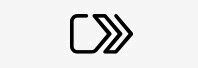
Click to Pay is a simple and more secure way to pay online using your NAB Visa card. It lets you check out without entering your card details or personal information whenever you see the Click to Pay icon below.
Setting up Click to Pay
Your registered email address and mobile number with NAB will be used to enrol your eligible card to Click to Pay. To register, you need to:
- Log into the NAB app
- Tap on Cards
- Select your card
- Tap on Click to Pay and add your card in a few clicks
Online shopping just got simpler and safer
Skip the hassle of entering your details into payment forms. Simply select Click to Pay at checkout wherever you see the icon. Choose the NAB card you want to use, check your payment and delivery details, and if prompted, complete a quick verification step.
Then confirm your payment – it’s that easy. If you see the Click to Pay logo during Visa during checkout, your saved Visa cards will already be available to use.
If you were previously registered with Visa Checkout, your saved Visa card details may already be available when you use Click to Pay.
Benefits
Simple
No need to enter your 16-digit card number, remember passwords, or complete lengthy forms when shopping online with your NAB Visa card.
Smart
Add multiple NAB debit or credit cards and easily switch between them during checkout. You can also manage or remove your NAB debit or credit card from Click to Pay at any time using the Manage your digital wallets feature in the Cards menu of the NAB app.
Secure
Enjoy multiple layers of security when you pay. NAB and Visa work together to help protect your transactions and reduce fraud, giving you peace of mind every time you shop online.
Get in touch
Customer Support Tool
Solve problems quickly online with our easy-to-follow guides. Simply select a topic and we’ll direct you to the information you need.
Contact us
Explore our personal banking contact information and get support with a wide range of products, services and topics.
Visit a NAB branch
Visit us in person at your nearest NAB branch or business banking centre.
Terms and Conditions
Apologies but the Important Information section you are trying to view is not displaying properly at the moment. Please refresh the page or try again later.