12.65 % p.a.
Purchasing and corporate credit cards - NAB


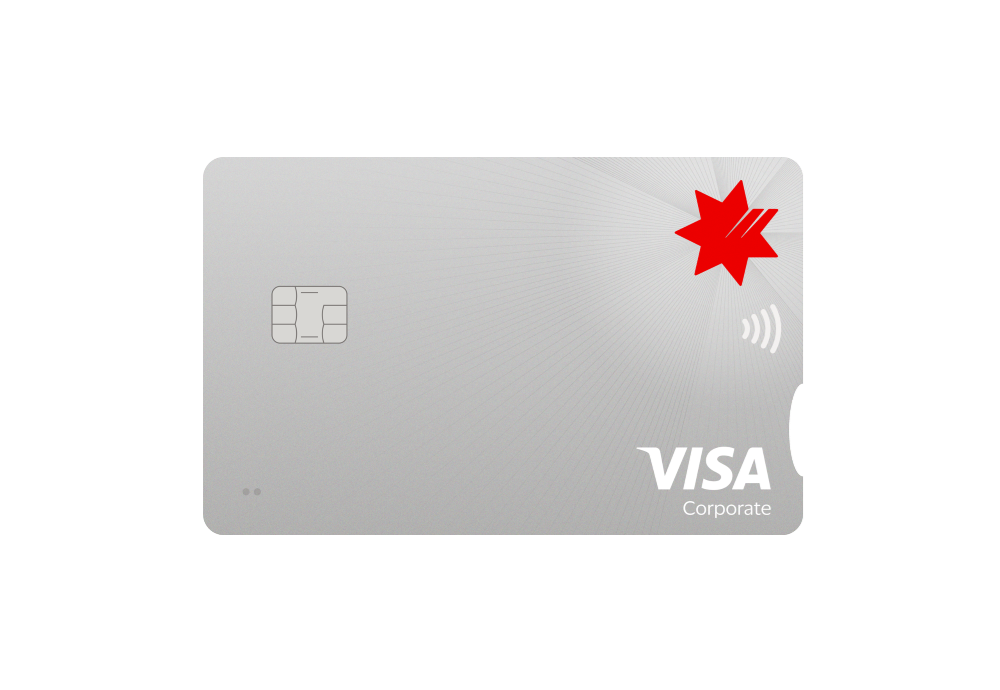
Benefits of purchasing and corporate cards
Our purchasing and corporate credit cards are ideal for organisations and corporations with significant monthly business expenses. Our corporate charge cards are packed with great features to help you manage your business, travel and purchasing expenses.
Control business spending
Attach multiple cards to one facility, set individual credit limits, and get detailed monthly statements.
Security and fraud protection
Enjoy complimentary insurance for unauthorised transactions to help manage fraud costs and use Online Secure when making online purchases.
Worldwide acceptance
Use Apple Pay or Google Pay for an easy and secure way to pay procurement, travel and entertainment expenses wherever Visa is accepted.
What is a corporate credit card?
A corporate credit card, or charge card, allows employees to make work-related purchases without using personal funds or waiting for reimbursement. We offer a range of corporate cards, including plastic, lodge (for centralised travel bookings), and virtual cards, each designed to streamline business expenses and improve financial management.

Manage business expenses with FlexiPurchase
Use FlexiPurchase software to easily control, monitor and report on business expenses.
Choose from basic dashboards or customised modules to suit your individual needs.
Finder Awards 2026 – Winner Best Low Rate Business Charge Card
For the second year running our NAB Purchasing and Corporate Card has won the Finder Award for Best Low Rate Business Charge Card.
Purchasing and corporate charge card rates and fees
Cash advance interest rate
Want to know more?
Get in touch with us to learn more and see if our purchasing and corporate credit cards are right for your business.
New
Discover the next generation of payments for businesses
New
NAB Virtual Corporate Card

A secure, more private way to pay
Apple Pay uses the security features built into your Apple device, including Face ID and Touch ID, which are designed so only you can authorise payments.
Manage your card
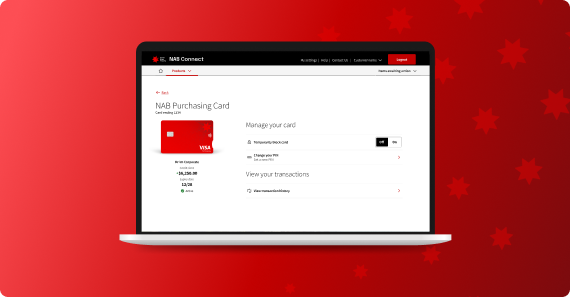
With NAB Connect you can take control of your card 24 hours a day, seven days a week. Use our Commercial Card Self-Service module to complete your admin tasks in real-time.
Simple self-service for every cardholder
Simple self-service for every cardholder with Cardholder Self-Service (CHSS), cardholders can:
You may also be interested in
We have a range of finance products and services to suit your business needs.
NAB Rewards Business Signature Card
Earn NAB Reward Points and redeem them at the NAB Rewards Store for a range of products and experiences.
NAB Qantas Business Signature Card
Maximise your Qantas Points and get more from your business credit card purchases.
NAB Low Rate Business Card
Our lowest rate business card offers 0% on purchases for the first 12 months and no annual card fee the first year.
Other ways we can help
Use our help guides, FAQs and other support services to help you manage your banking more easily.
Help and support
Guides, tools and FAQs to help you manage your banking products and services.
Managing your NAB business credit cards
Use our help guide to find out how to manage all the different cards your business uses.
How to manage NAB Internet Banking and the NAB app for your business
Learn how to make the most of NAB Internet Banking and the NAB app for your business using our help guides.
Get in touch
Sales enquiries
Let us help with your business banking needs. Request a call back to chat to a specialist about our range of business and commercial cards.
Contact us
Explore our business banking contact information and get support with a wide range of products, services and topics.
Visit a NAB business banking centre
Let our business banking specialists help you in person.
Terms and Conditions
Apologies but the Important Information section you are trying to view is not displaying properly at the moment. Please refresh the page or try again later.
Business Banking Fees and Charges
Interest rates, fees and charges
NAB Purchasing and Corporate Card Facility Terms and Conditions (PDF, 253KB)
NAB Purchasing and Corporate Cards Cardholder Conditions of Use (PDF, 610KB)
NAB Purchasing and Corporate Card Electronic Banking Conditions (PDF, 716KB)
NAB recommends you consider the Product Disclosure Statement or other disclosure document, available from NAB, before making any decisions regarding these products. These products are issued by National Australia Bank Limited ABN 12 004 044 937.
Apple Pay with NAB - terms and conditions
Important things to know before adding NAB cards
Dated: 10 June 2025
- These terms and conditions and Apple Pay’s terms and conditions apply to the use of your card details through Apple Pay on your Apple device. In addition, the terms and conditions and protections that apply to your card, card details and contactless readers will also apply to the use of your card details through Apple Pay on your Apple Device.
- Unlike contactless payments made using your card, when using Apple Pay at a contactless reader, you won’t always need to enter your card PIN for purchases of $100 or more. It will depend if the merchant has a compatible contactless reader.
- Not keeping your Apple device’s passcode secure may mean you’re liable for unauthorised transactions. If you think the security of your Apple device’s passcode has been compromised, call us on 13 22 65 (personal) or 13 10 12 (business).
- Tips for keeping your Apple device’s passcode secure:
- Never store your device passcode on, or with, the device.
- Don’t let anyone else register their biometric identifier (eg. Touch ID, Face ID) to your device.
- Don’t share your Apple device’s passcode with anyone.
- Choose a passcode that’s easy for you to remember and hard for others to guess.
- Don’t use the same passcode as you do for your other banking or anything obvious like your date of birth.
- Apple Pay is provided to you to make payments using your card details through your device only. You must not sub-licence the technology to anyone else or attempt to copy, change or gain unauthorised access to the technology used to provide this service to you.
Device lost or stolen
If your Apple device is lost or stolen, refer to Apple’s website for how you can delete card(s) in Apple Pay or let us know immediately by calling NAB on 13 22 65 (personal) or 13 10 12 (business). Deleting your card from Apple Pay will still allow you to keep using your physical card.
Privacy
- We use your information in accordance with the NAB privacy policy.
- Apple share information with us for fraud and identification purposes.
- View Apple’s privacy policy.
- We may exchange information with Apple and the relevant card scheme networks related to the set up and use of Apple Pay.
NAB Purchasing and Corporate Card specific terms
- These terms and conditions and Apple Pay's terms and conditions apply to the use of your NAB Purchasing and Corporate Card through Apple Pay on your Apple device. In addition, the terms and conditions and protections that apply to your card, card details and contactless readers will also apply to the use of your card details through Apple Pay on your Apple Device.
- Unlike contactless payments made using your card, when using Apple Pay at a contactless reader, you won’t always need to enter your card PIN for purchases of $100 or more. It will depend if the merchant has a compatible contactless reader.
- Most contactless payments using a NAB Purchasing and Corporate Card will be authorised using Apple Pay. Some transactions (e.g. pre-authorisations and refunds) may not be authorised without a physical card. In these instances, you may be required to present your physical NAB Purchasing and Corporate Card.
- If your Apple device is lost or stolen, refer to Apple’s website for how you can delete card(s) in Apple Pay or let us know immediately by calling NAB on 13 10 12. Deleting your card from Apple Pay will still allow you to keep using your physical card.
- As a facility owner, you will only be able to remove a cardholder’s access to Apple Pay by closing the associated physical card from your account. To remove a cardholder from accessing a NAB Purchasing and Corporate Card, log into Commercial Card Self-Service via NAB Connect or contact NAB on 13 10 12.
Other info
- For eligible cards/devices or for instructions to add or remove cards, and to get a copy of these terms please visit nab.com.au/applepay.
- To get a copy of your card’s terms and conditions please visit nab.com.au.
- Apple, the Apple logo, Apple Pay, Apple Watch, Face ID, iPad, iPhone, iTunes, Mac, MacBook Pro, Safari, and Touch ID are trademarks of Apple Inc., registered in the U.S. and other countries.
Google Pay with NAB - terms and conditions
Important things to know before adding NAB cards
Dated: 10 June 2025
- The terms and conditions and protections that apply to your card, card details and contactless readers, and Google Pay’s terms and conditions, will also apply to the use of your card details through Google Pay on your Android device or smartwatch.
- Not keeping your Android device or smartwatch screen lock secure may mean you’re liable for unauthorised transactions. If you think the security of your Android device or smartwatch screen lock has been compromised, call us.
- Tips for keeping your Android device or smartwatch screen lock secure:
- Never store your device screen lock on or with the device.
- Don’t let anyone else register their biometric identifier (eg. fingerprint) to your device.
- Don’t share your Android device or smartwatch screen lock with anyone.
- Choose a screen lock that’s easy for you to remember and hard for others to guess.
- Don’t use the same screen lock as you do for your other banking or anything obvious like your date of birth.
- If you have another wallet selected as the default contactless payment method on your Android device or smartwatch, you may need to replace the default method with Google Pay. Use your Android device or smartwatch’s settings to select your default contactless payment method.
- If your Android device or smartwatch has not connected to a cellular or wireless internet connection for a prolonged period of time, Google Pay may not work and there may be a delay in time before Google Pay works once a connection has been re-established.
- Google Pay is provided to you to make payments using your card details through your device only. You must not sub-licence the technology to anyone else or attempt to copy, change or gain unauthorised access to the technology used to provide this service to you.
Device lost or stolen
If your Android device or smartwatch is lost or stolen, you can delete card(s) in your Google wallet app or let us know immediately by calling NAB on 13 22 65 (personal) or 13 10 12 (business). Deleting your card from the Google Pay app will still allow you to keep using your physical card.
Privacy
- We use your information in accordance with the NAB privacy policy.
- Google Pay shares information with us for fraud and identification purposes.
- View Google’s privacy policy.
- We may exchange information with Google and the relevant card scheme networks related to the set up and use of Google Pay.
NAB Purchasing and Corporate Card specific terms
- The terms and conditions and protections that apply to your card, card details and contactless readers, and Google Pay’s terms and conditions, will also apply to the use of your card details through Google Pay on your Android device or smartwatch.
- Most contactless payments using your card will be authorised using your Android device. Some transactions (e.g. pre-authorisations and refunds) may not be authorised without a physical card. In these instances, you may be required to present your physical NAB Purchasing and Corporate Card.
- All cardholders can register their card for Google Pay.
- As a facility owner, you will only be able to remove a cardholder’s access to Google Pay by closing the associated physical card from your account. To remove a cardholder from accessing a NAB Purchasing and Corporate Card, log into Commercial Card Self-Service via NAB Connect or contact NAB on 13 10 12.
Other info
- For eligible cards/devices or for instructions to add or remove cards, and to get a copy of these terms please visit nab.com.au/google.
- To get a copy of your card’s terms and conditions please visit nab.com.au.
- Android, Google Pay, and the Google Logo are trademarks of Google LLC.