Open a bank account before you arrive in Australia | NAB - NAB


Banking you can trust
A trusted Australian bank
We’re one of Australia’s ‘big 4’ banks, serving over 8 million customers.
Products to suit you
Get started with a bank account that charges no monthly account fee. We have credit cards, loans and more to help you set up your life in Australia.
Always here to help
Use the NAB app to access your money 24 hours a day, seven days a week, visit us in person at a branch or call us - we have interpreter services available.
Security first
Enjoy peace of mind that you can call us 24/7 with any security concerns about your account.

Bank accounts NAB Classic Banking Account
Everyday banking made simple. Enjoy easy access to your money and track your spending in the NAB app.
Monthly account fee
$0
Overdrawn fee
$0
Features
Things to consider
Eligibility Moving to Australia
If you want to apply for a joint account, please visit a NAB branch when you arrive in Australia

Getting started Start online, finish in branch when you arrive
Step 1
Start your application online

Before you start, make sure you have the following ready:
Step 2
Finish your application in branch

Visit a NAB branch within 30 days of starting your online application to verify your identity and activate your account.
You’ll need to bring a:
Please note: If your passport information page isn't in English, you'll need to bring an English translation prepared by a translator accredited with NAATI.

Why do I need to visit a branch?
We require you to verify your identity in person. This ensures your security and helps us to comply with our obligations.

Seamless banking at your fingertips
The NAB app thinks about money, so that you don't have to.



Frequently asked questions
-
Your application will expire, but you can start a new application any time.
-
No. You’ll need to visit a branch in Australia to finish your application, open your account and get online banking access. When we’ve verified your ID in person, your account will be ready for you to use.
-
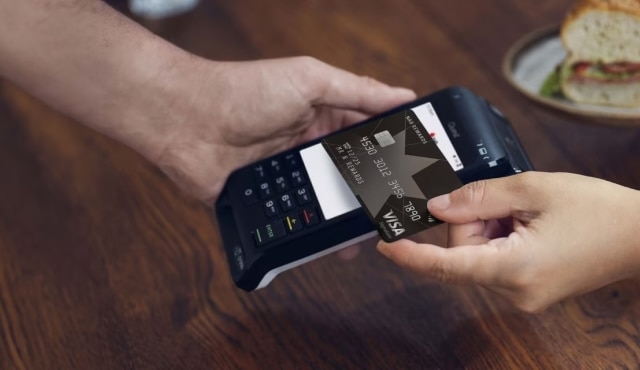
Yes. After your account is activated in a branch, you can log in to the NAB app and access it. Once you've added money, you can use your digital Visa Debit card for online and contactless payments while your physical card is on the way.
-
If your visa changes or you get a new one, bring evidence with you when you visit a branch to finish your application.
Helpful tools and resources
Transfer money overseas
Send money overseas quickly and securely with NAB.
Receive money from overseas
Find all the details you will need to receive money from overseas.
Foreign exchange calculator
Check indicative rates of foreign currencies.
Calling Australia home

International student banking
Here’s what international students need to know about banking in Australia.
Easy guide to everyday banking , opens in new window
Practical information to help you get started with everyday banking.

Life moments
Explore our practical guides to help you improve your financial literacy and prepare for important life moments.
Get in touch
Contact us
Visit our contact page for how-to guides and FAQs.
Visit a NAB branch
Our bankers can help you in person at any branch in Australia.
Find an interpreter
Ask for an interpreter to help with your banking.
Terms and Conditions
Apologies but the Important Information section you are trying to view is not displaying properly at the moment. Please refresh the page or try again later.
This information is intended for people moving to Australia. Accounts are not opened until you arrive in Australia and finish your application in a NAB branch. Deposits are taken by National Australia Bank Limited (NAB) in Australia and not by any of its branches in other countries. NAB is not offering banking to or soliciting deposits from people resident outside Australia.
NAB is incorporated in Australia and is regulated as an Authorised Deposit-Taking Institution by the Australian Prudential Regulation Authority and as a financial services and credit licensee by the Australian Securities and Investments Commission. Prudential information about NAB is available in its published regulatory disclosures. Personal NAB customers have access to the Australian Financial Complaints Authority and deposits may be covered by the Financial Claims Scheme.
Consider the NAB Internet Banking terms and conditions which apply when using NAB Internet Banking and the NAB app. The NAB app is compatible with Android™ and iOS, minimum platform requirements apply. Android is a trademark of Google LLC. iOS is a trademark or registered trademark of Cisco in the U.S. and other countries and is used under license. Apple, the Apple logo, and App Store are trademarks of Apple Inc., registered in the U.S. and other countries. Google Play and the Google Play Logo are registered trademarks of Google LLC.
Any advice has been prepared without considering your objectives, financial situation or needs. Before acting on any advice, you should consider whether it is appropriate for your circumstances and view the Personal Transaction and Savings Accounts Terms and Conditions. Target Market Determinations for these products are available at nab.com.au/TMD. NAB products issued by NAB.
See our personal banking fees and charges and indicator rates for deposit products.